
Step and Repeat / Backdrops
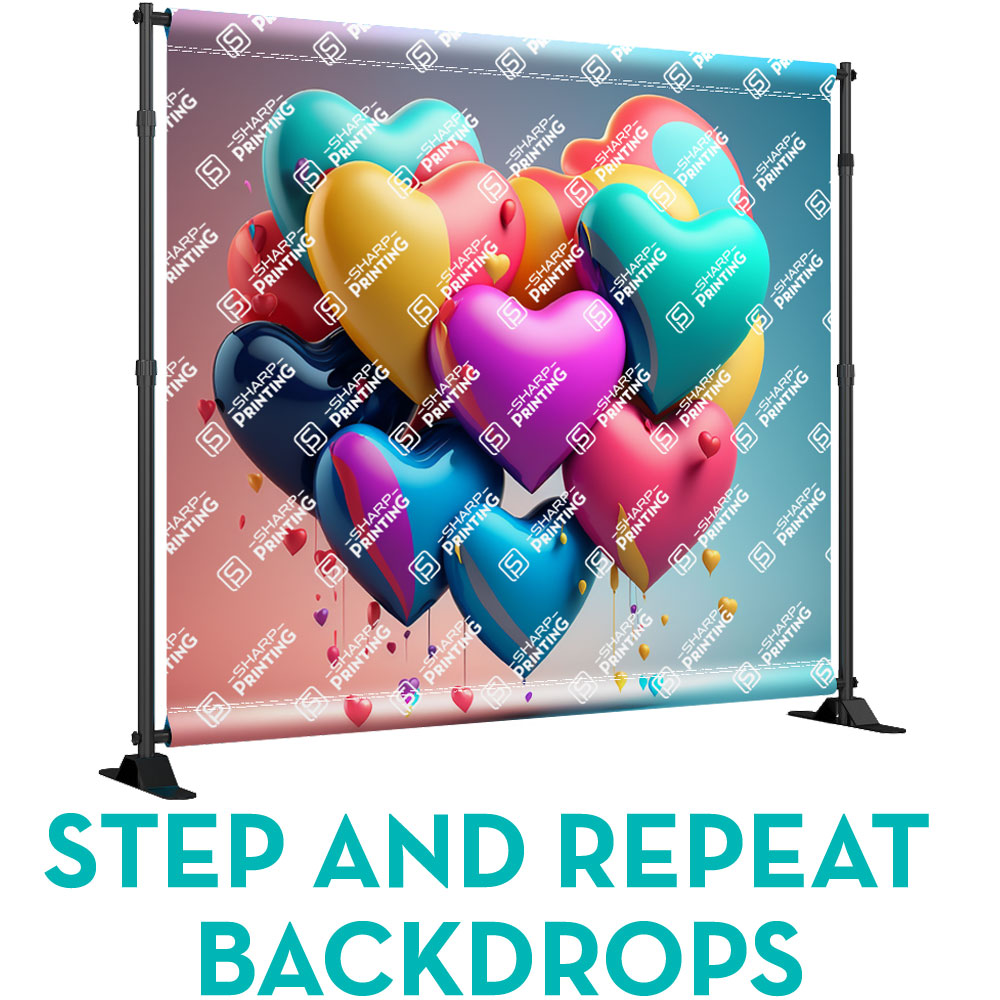
Sharp Printing Step and Repeat / Backdrops have telescoping 1.625" diameter poles for best stability.
The 9oz Wrinkle-Free Dyesub material is design to display logo(s), names, brands of one or more sponsors in a repeated pattern.
Created for Special Events, Red Carpet Events, Venue Entrances, Upscale Parties, Celebrity Appearances and any Celebration.
Our Step and Repeat / Backdrop Banner comes with its own carry bag for easy transportation and Stand to set-up with ease on site. Requires just a screwdriver and 10 minutes of setup time.
Sharp Printing Step and Repeat / Backdrops have telescoping 1.625" diameter poles for best stability.
The 9oz Wrinkle-Free Dyesub material is design to display logo(s), names, brands of one or more sponsors in a repeated pattern.
Created for Special Events, Red Carpet Events, Venue Entrances, Upscale Parties, Celebrity Appearances and any Celebration.
Our Step and Repeat / Backdrop Banner comes with its own carry bag for easy transportation and Stand to set-up with ease on site. Requires just a screwdriver and 10 minutes of setup time.
Graphic Material:
- Dye Sublimated Wrinkle Free
Print Features:
- Custom sizes - 6' x 4' up to 10' x 8'
- Hemmed edges
- 3" Pole pockets top and bottom
Hardware:
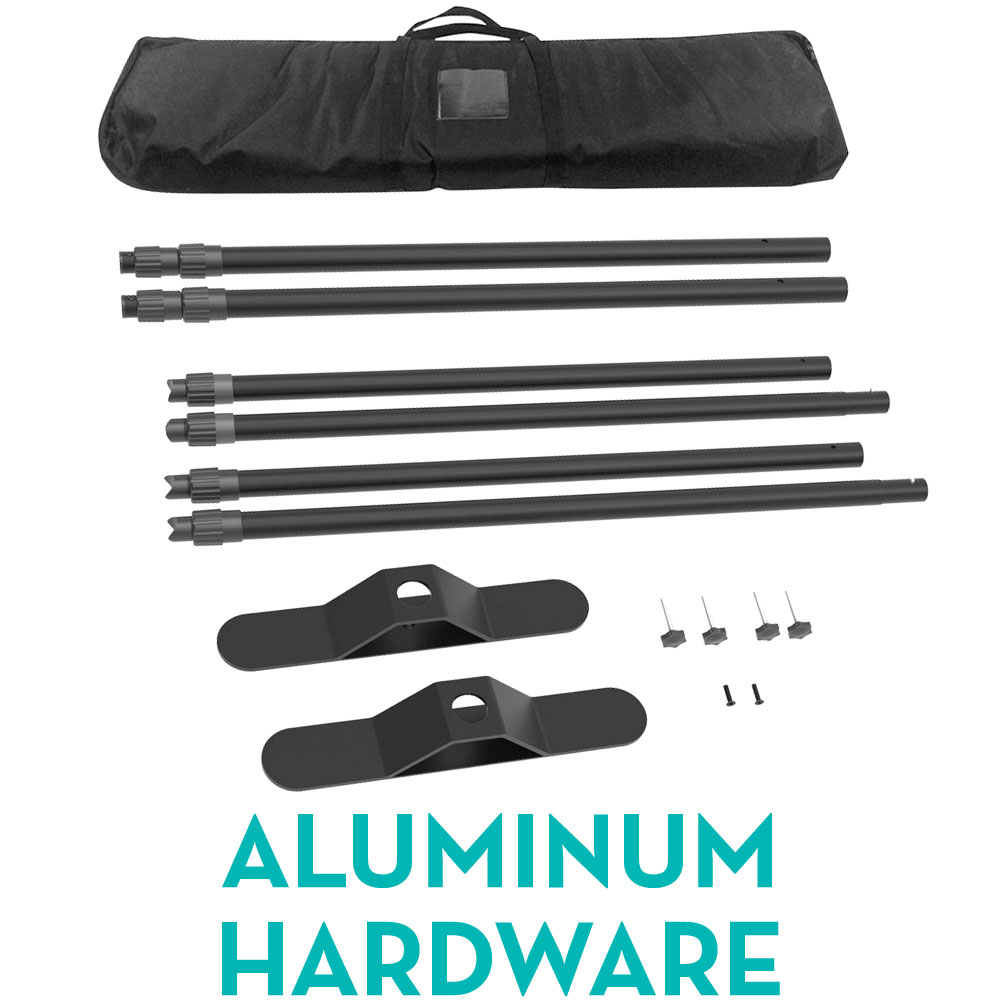
- Superior large tube aluminum hardware (1.625" diameter)
- Plastic locking collars
- Heavy-weight feet for stability
Accessories:
- Complimentary carry bag
Installation Guide
Step 1: To connect B-B, pull out pole A to the tlimited stop then tighten the plastic bolt. Same way to the pole #C-D.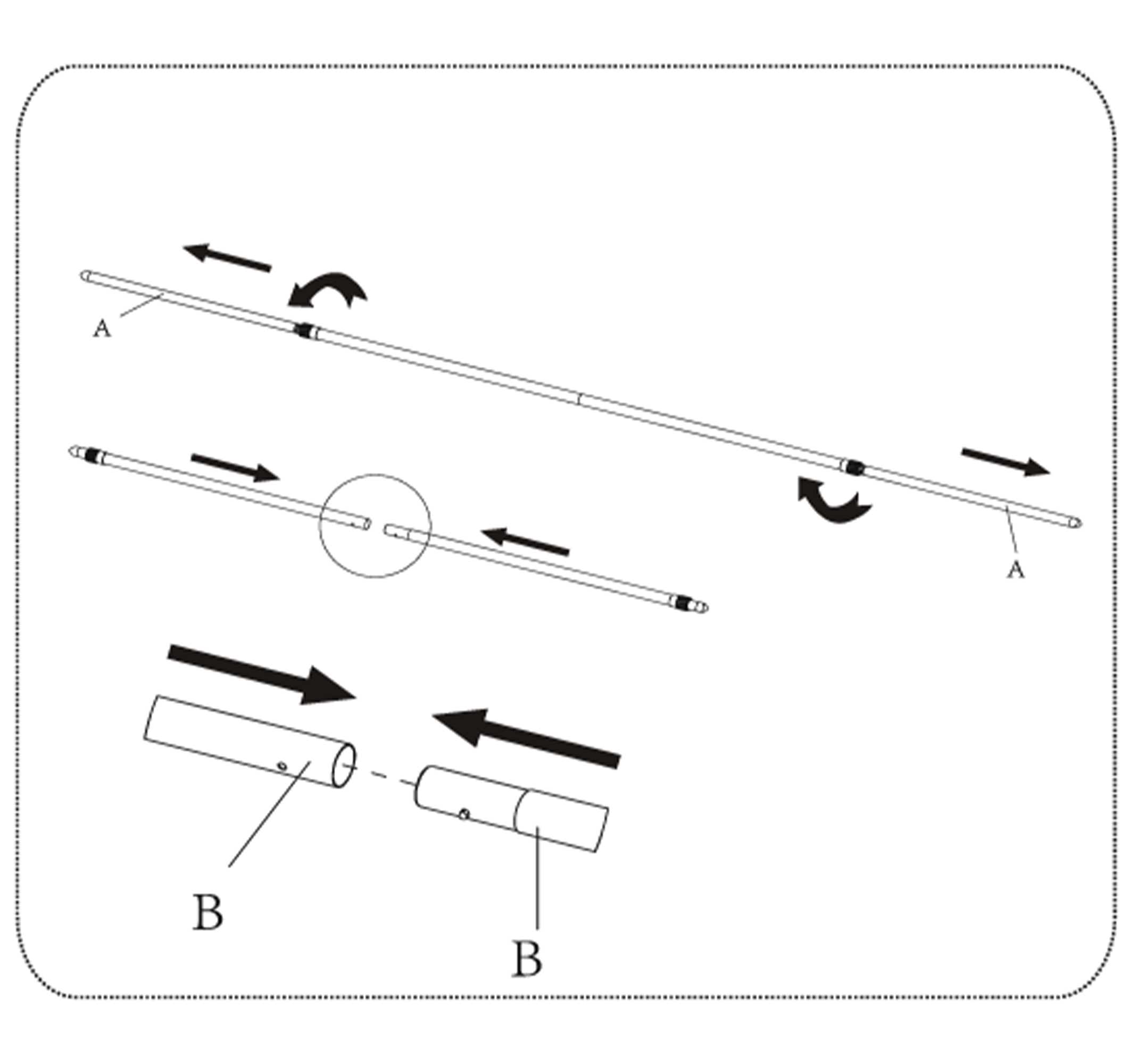
Step 2: Tightening: Altervard, tore sudhristie envelinidelseop and screw up the plastic bolt.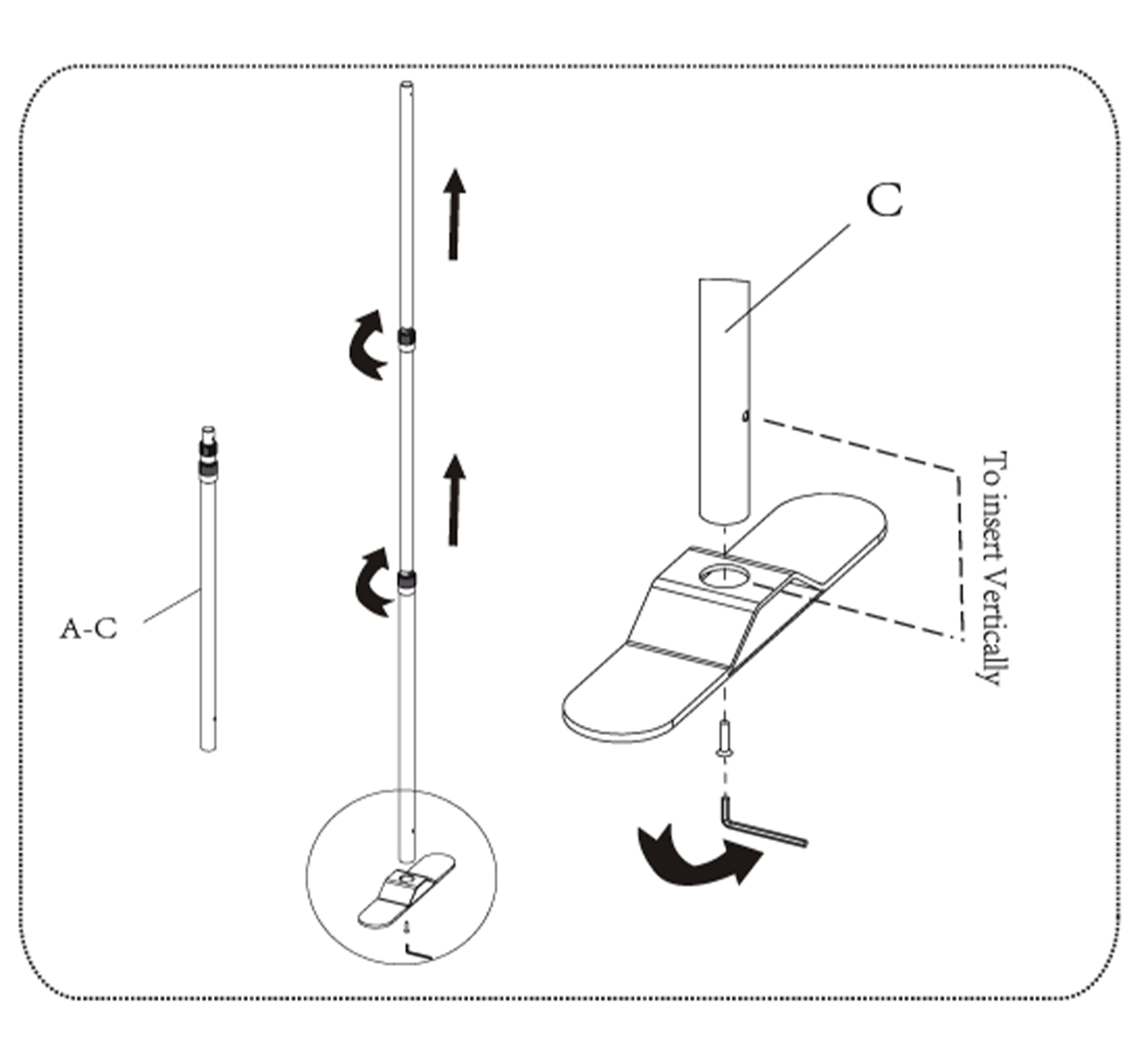
Step 3: To put pole #A-B and pole #C-D through the fabric banner hem.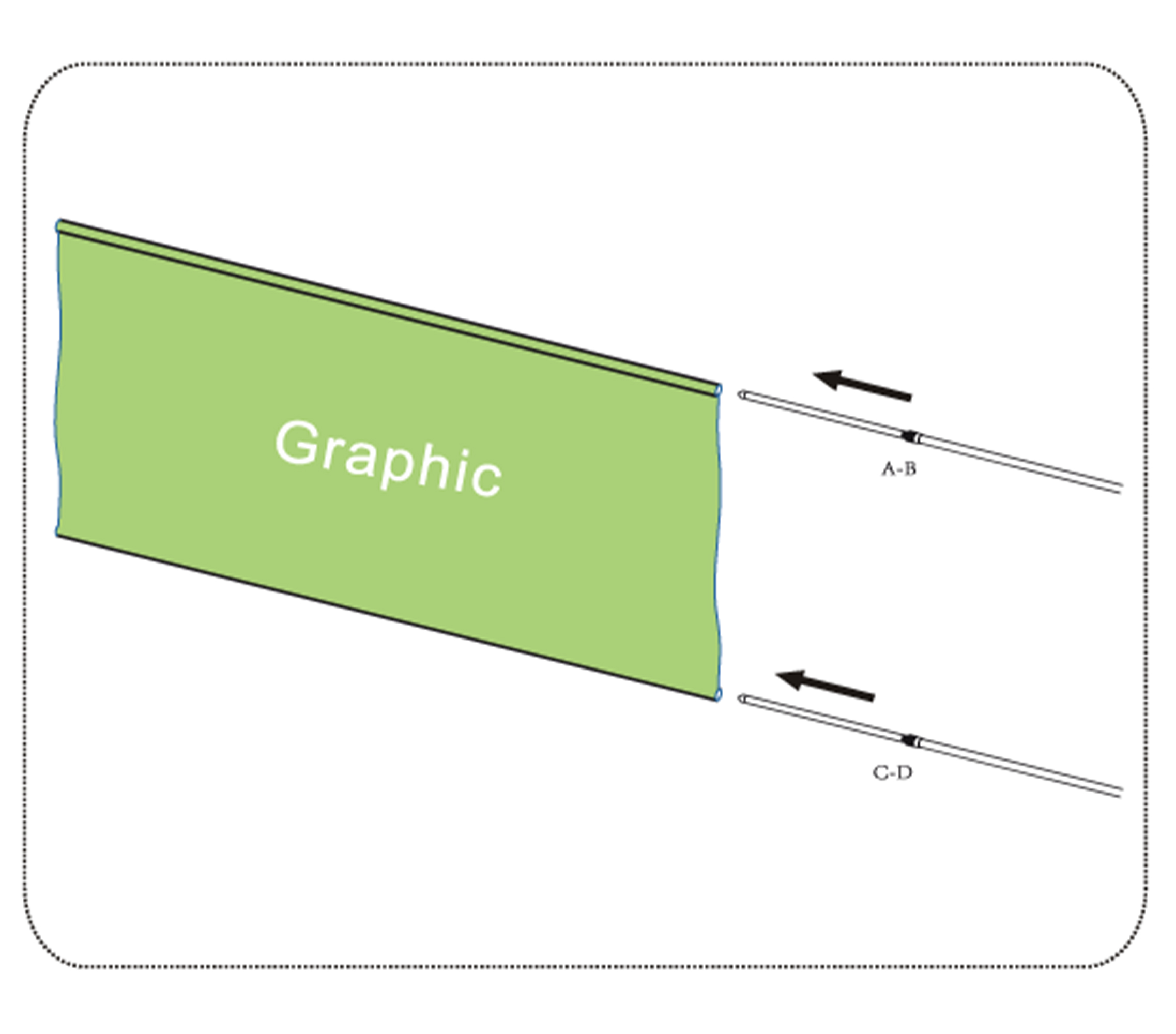
Step 4: To use right number of screw for tightening.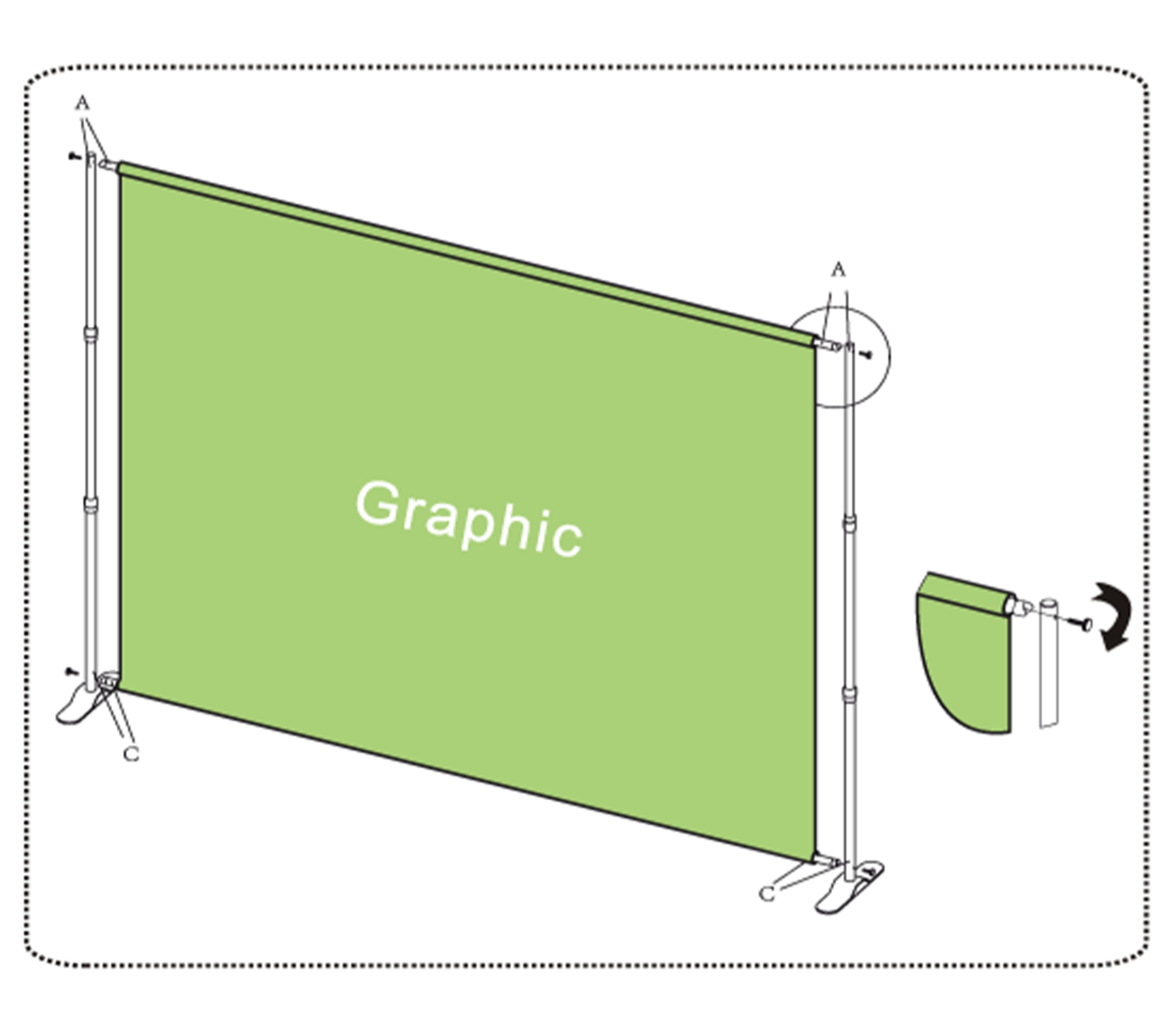
Ordering & Artwork Setup Guide
Step 1. Choose Product
- If you can not find the product you are looking for submit a custom quote here
Step 2. Select Product Options
- Size
- Color
- Turnaround Time
- Coating
- Etc.
Step 3. Add Product to Shopping Cart
- You will see an instant price for all listed products
- Click the Add To Cart Button
Step 4. Review Shopping Cart
- Name Your Job
- Select Shipping Method
- Add Any Special Instructions
- Once Satisfied Click The Checkout Button or Continue Shopping
Step 5. Payment Page
- Select Billing Address
- Select Payment Method
- Review and Accept Terms/Conditions
- Click Complete Button
Step 6. Upload Files
- Upload Now
- Upload Later
- My Designer Will Upload
- Files Are At A 3rd Party Download Source (i.e. ftp, dropbox, sendspace)
* Click a price and the quantity in the calculator will update to match what you selected.